
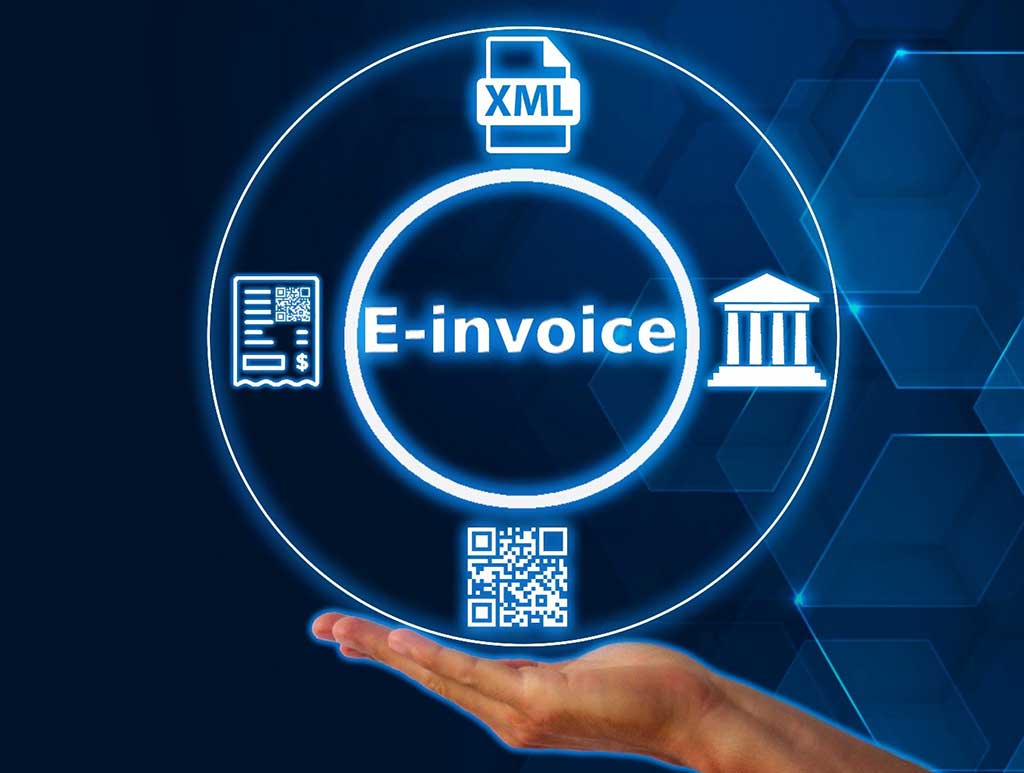
Web-Based FBR Digital e-Invoicing: Simplifying Tax Compliance for Businesses
The Federal Board of Revenue (FBR) has introduced digital e-invoicing as a key part of Pakistan’s effort to modernize its tax collection system. With web-based FBR digital e-invoicing, businesses can automate tax reporting, invoice submission, and ensure compliance with FBR regulations. This shift to digital invoicing is not only beneficial for tax authorities, but it also allows businesses to streamline their invoicing processes, reduce human error, and ensure timely and accurate tax filings.
At Isolate ERP, we provide seamless web-based FBR digital e-invoicing integration that helps businesses manage invoicing, tax reporting, and compliance efficiently. In this blog, we’ll explore the importance of web-based FBR e-invoicing, the benefits of integrating it into your ERP system, and how Isolate ERP can help simplify the process for your business.
1. What is Web-Based FBR Digital e-Invoicing?
Web-based FBR digital e-invoicing refers to the process of using an online platform or ERP system to generate, validate, and submit invoices to the Federal Board of Revenue (FBR). By connecting your business’s invoicing system directly to FBR’s platform, you ensure that your invoices are automatically validated, compliant with tax regulations, and submitted in real-time.
The e-invoicing system eliminates the need for paper-based invoicing and reduces the possibility of errors, fraud, and tax evasion. This system helps businesses meet FBR’s new digital invoicing mandate while improving the efficiency of their invoicing and tax reporting processes.
2. Why FBR Digital e-Invoicing is Crucial for Businesses
The move to digital invoicing through FBR is not just a regulatory requirement but a key opportunity for businesses to modernize their operations and stay competitive. Here’s why web-based FBR digital e-invoicing is important:
2.1 Compliance with FBR Regulations
The FBR’s mandate requires businesses to submit invoices electronically, and failure to comply can result in penalties and tax audits. Web-based FBR digital e-invoicing ensures that businesses meet these compliance requirements, reducing the risk of non-compliance.
2.2 Efficiency in Invoicing
Manually generating invoices and submitting them to tax authorities can be time-consuming. Digital invoicing automates the entire process, ensuring that invoices are generate and submit faster, with greater accuracy and fewer errors.
2.3 Improved Transparency and Security
Web-based e-invoicing ensures that all transactions are record and validate in real-time, creating a transparent system that helps both businesses and tax authorities track and verify transactions. This reduces the chances of invoice fraud and tax evasion.
2.4 Faster Tax Filing
With real-time invoice submission, businesses can ensure that their tax filings are accurate and up to date, which speeds up the process and ensures that tax returns are filed on time.
3. Key Benefits of Web-Based FBR Digital e-Invoicing
Adopting web-based FBR digital e-invoicing brings a range of benefits to businesses:
3.1 Automated Tax Reporting
With digital e-invoicing, your invoices are automatically submit to the FBR, and tax data is generated in real-time, making tax reporting much more efficient and accurate.
3.2 Cost and Time Savings
By eliminating manual invoicing and paperwork, businesses save on both time and costs associated with traditional invoicing methods. Automation helps streamline the invoicing process, improving productivity.
3.3 Reduced Errors and Fraud
Manual invoicing is prone to mistakes and fraud. With digital e-invoicing, the validation process ensures that all invoices meet FBR’s standards, reducing the risk of errors and non-compliance.
3.4 Instantaneous Invoice Validation
Invoices are validated instantly when submitted to FBR, providing real-time feedback and reducing the waiting time for approval.
3.5 Improved Cash Flow Management
With automated invoicing and faster submissions, businesses can ensure timely payments, improving their overall cash flow management and reducing delays in invoice processing.
4. How Web-Based FBR Digital e-Invoicing Works
The process of web-based FBR digital e-invoicing is designe to be efficient and user-friendly. Here’s how it works:
Step 1: Generate the Invoice
When a sale or transaction occurs, the business generates an electronic invoice in their system. This invoice contains all the necessary details, such as product information, tax rates, quantity, and total cost.
Step 2: Submit to FBR
Once the invoice is generate, it is automatically submit to the FBR through their digital platform via the API. FBR then validates the invoice based on their requirements, such as correct tax rates and product categorization.
Step 3: Real-Time Validation
FBR’s system checks the invoice for accuracy and compliance. If the invoice passes validation, an Invoice Reference Number (IRN) is assigned, which is required for tax filing and tracking.
Step 4: Tax Filing and Reporting
After the invoice is validate, it is include in your tax reporting system. This makes tax filing easier and faster, as all your invoices are automatically submitted and ready for reporting.
5. How to Integrate Web-Based FBR Digital e-Invoicing with Your ERP System
Integrating web-based FBR digital e-invoicing with your ERP system ensures that your invoicing and tax reporting processes are streamlined and compliant. Here are the steps involved:
Step 1: Assess Compatibility
Ensure that your ERP system is compatible with FBR’s digital invoicing platform. This may require updating your system or adding API connectors.
Step 2: Choose an Integration Provider
Select an experienced provider, such as Isolate ERP, who can handle the integration of FBR digital e-invoicing into your system.
Step 3: Customization
Customize the integration to meet your business’s unique needs, ensuring that tax rates, invoice details, and reporting are properly align with FBR’s requirements.
Step 4: Testing
Before going live, thoroughly test the system to ensure that invoices are being generate, validate, and submit correctly.
Step 5: Go Live
Once testing is complete, launch the system and monitor the process to ensure everything runs smoothly. Regularly update the system to stay compliant with any regulatory changes.
Step-by-Step Guide to Implementing FBR Digital e-Invoicing with Isolate ERP

- Register with FBR’s IRIS Portal: The first step is to register your business on FBR’s IRIS platform to obtain a Taxpayer Identification Number (TIN).
- Connect Isolate ERP to IRIS: After registration, configure your Isolate ERP system to integrate seamlessly with IRIS by inputting your FBR credentials.
- Generate Invoices: Create invoices within Isolate ERP, which automatically formats them according to FBR’s specifications (including JSON format and QR code generation).
- Real-Time Submission: Isolate ERP submits your invoices to FBR’s IRIS portal in real time for validation.
- Confirmation & Validation: Once FBR processes your invoices, you receive an Invoice Reference Number (IRN) and a confirmation QR code, completing the cycle.
- Maintain Compliance: Isolate ERP keeps your invoices compliant with SRO 709(I)/2025, ensuring that all data required by FBR is properly format and submit.
6. Common Challenges in FBR Digital e-Invoicing and How to Overcome Them
6.1 Integration Complexity
Integrating FBR’s system with your ERP software can be complex.
Solution: Work with a provider like Isolate ERP, who specializes in seamless FBR digital e-invoicing integration and can manage the technical aspects.
6.2 Data Accuracy
Incorrect data can lead to invoice rejection.
Solution: Regularly audit your invoicing system to ensure that tax rates, product descriptions, and invoice details are up to date.
6.3 API Downtime
Occasionally, FBR’s API may experience downtime.
Solution: Set up a backup system to store invoice data until FBR’s platform is back online.
6.4 Compliance with New Regulations
FBR regulations may change over time.
Solution: Ensure that your system is adaptable and regularly updated to stay in compliance with the latest FBR regulations.
7. How Isolate ERP Helps with FBR Digital e-Invoicing Integration
At Isolate ERP, we specialize in seamless FBR digital e-invoicing integration. Our team offers:
- Expert Consultation: We assess your business’s needs and provide customized FBR integration solutions.
- Effortless Integration: Our team ensures that FBR digital e-invoicing is integrated smoothly with your ERP system, reducing the time and complexity of the process.
- Ongoing Support: We provide continuous support to ensure that your FBR e-invoicing system remains up to date and compliant.
8. Real-World Success Stories of FBR Digital e-Invoicing Integration
Example 1: Retail Business
Problem: A retail business faced challenges with manual invoicing and slow tax reporting.
Solution: Isolate ERP integrated FBR digital e-invoicing with their POS system, automating invoicing and tax reporting.
Result: The business saw 20% faster invoicing, 30% fewer errors, and compliance with FBR’s regulations.
Example 2: Manufacturing Company
Problem: A manufacturing company struggled with compliance across multiple locations.
Solution: Isolate ERP customized the FBR integration to work across multiple branches, ensuring consistent tax reporting.
Result: The company achieved seamless compliance and improved operational efficiency.
9. FAQs (Answer Engine Optimized)
Q1. What is web-based FBR digital e-invoicing?
Web-based FBR digital e-invoicing is the process of generating, submitting, and validating invoices through FBR’s digital platform, ensuring tax compliance and real-time reporting.
Q2. How does FBR digital e-invoicing help businesses?
It automates invoicing, ensures tax compliance, improves accuracy, and speeds up tax filing by integrating your ERP system with FBR’s digital platform.
Q3. How do I integrate FBR digital e-invoicing with my ERP system?
Work with a provider like Isolate ERP, who can integrate FBR’s e-invoicing system with your ERP platform, ensuring seamless invoicing and tax reporting.
Q4. What are the benefits of FBR digital e-invoicing?
The benefits include automation, accuracy, real-time validation, faster tax reporting, and reduced errors in invoice submission.
Q5. How can Isolate ERP help with FBR digital e-invoicing integration?
Isolate ERP provides seamless integration, customized solutions, and ongoing support to ensure your business is fully compliant with FBR regulations.
Get Start with FBR Digital e-Invoicing Integration Today
Ready to simplify your tax reporting and ensure FBR compliance? Isolate ERP offers seamless FBR digital e-invoicing integration solutions for businesses.
📧 Email: info@isolaterp.com
🌐 Website: https://www.isolaterp.com
📅 Book a Free Consultation – Let’s get started on your FBR digital e-invoicing integration today!

